


Help Center
Help Center
How To Upgrade Status

Cointr
2025-07-25 18:26


At CoinTR, we continuously improve our processes to make it easier for users to remain fully compliant with current legal regulations. The status upgrade process is designed to help different user profiles —
arbitrage users, liquidity providers, and market makers — operate in accordance with regulatory requirements. This ensures our users meet all
Travel Rule obligations while enjoying a faster, safer, and more professional trading experience on the platform.
Status Upgrade and Updated Withdrawal Limits
You can now complete the status upgrade process
via the web or by updating your
CoinTR mobile app
to the latest version
In accordance with regulations, the following limits apply to
on-chain (blockchain) withdrawals of stable crypto assets:
-
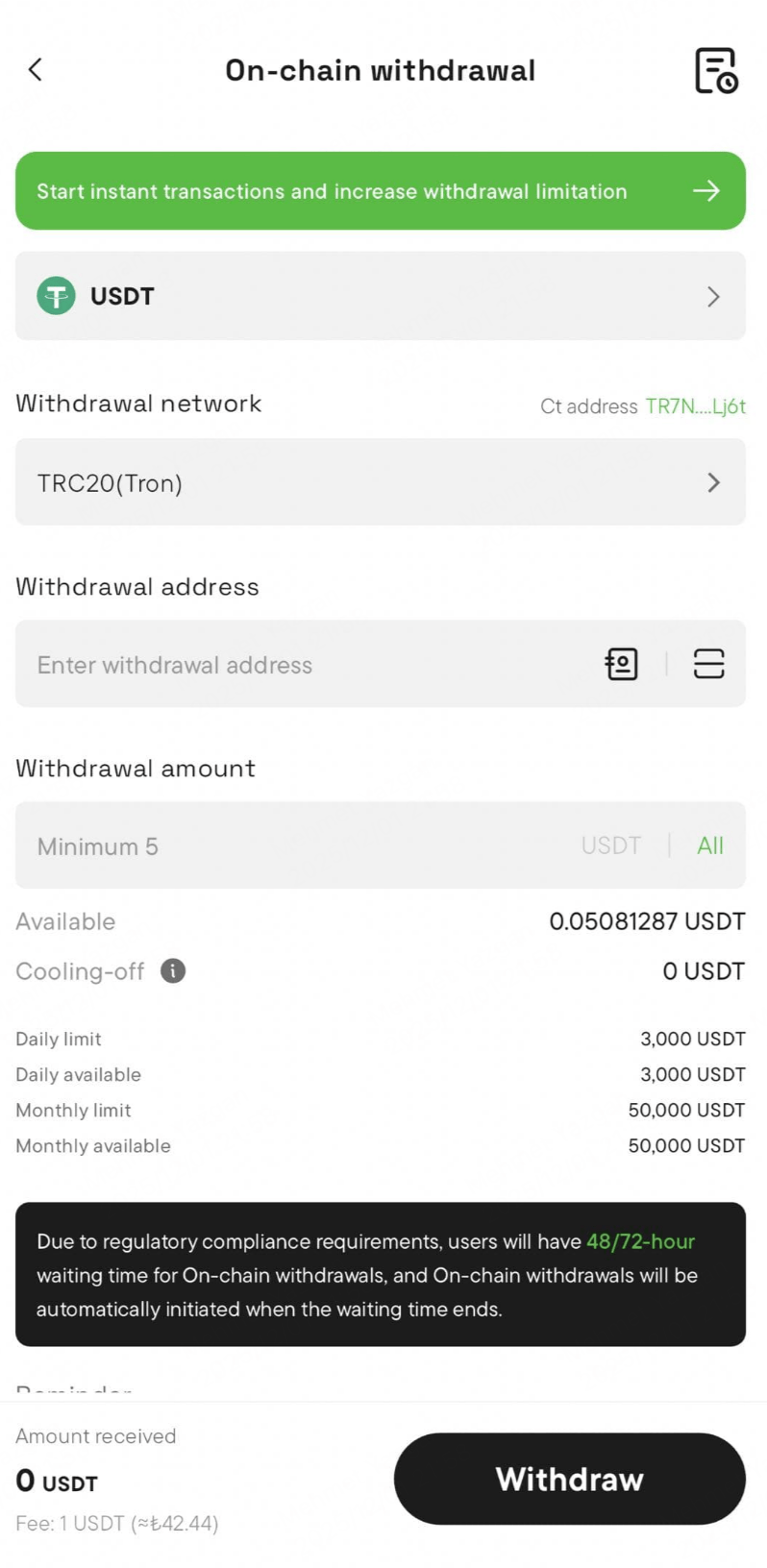
Daily Withdrawal Limit: 3,000 USD
-
Monthly Withdrawal Limit: 50,000 USD
⚠️ Note: These withdrawal limits do not apply to users who have completed the status upgrade process and submitted the required Travel Rule documentation. Once your verification is approved, you can continue transactions without these restrictions.
Ugrade Your Status on Web
- Go to the crypto withdrawal page.
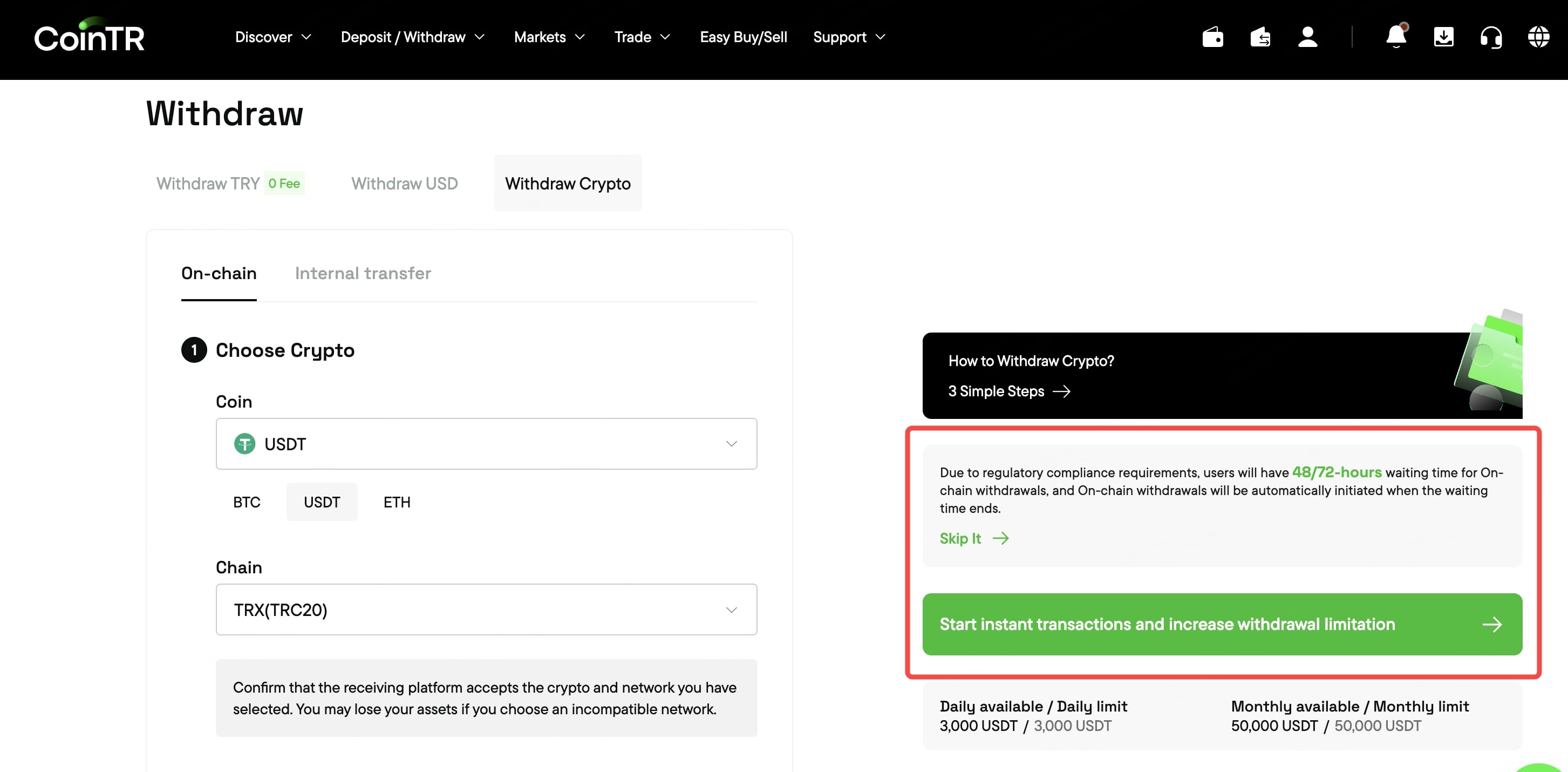
- You need to click on ‘Upgrade status’ for ‘On-chain withdrawal’ located at the bottom right. Click on ‘Start instant transaction and increase withdrawal limitation’.
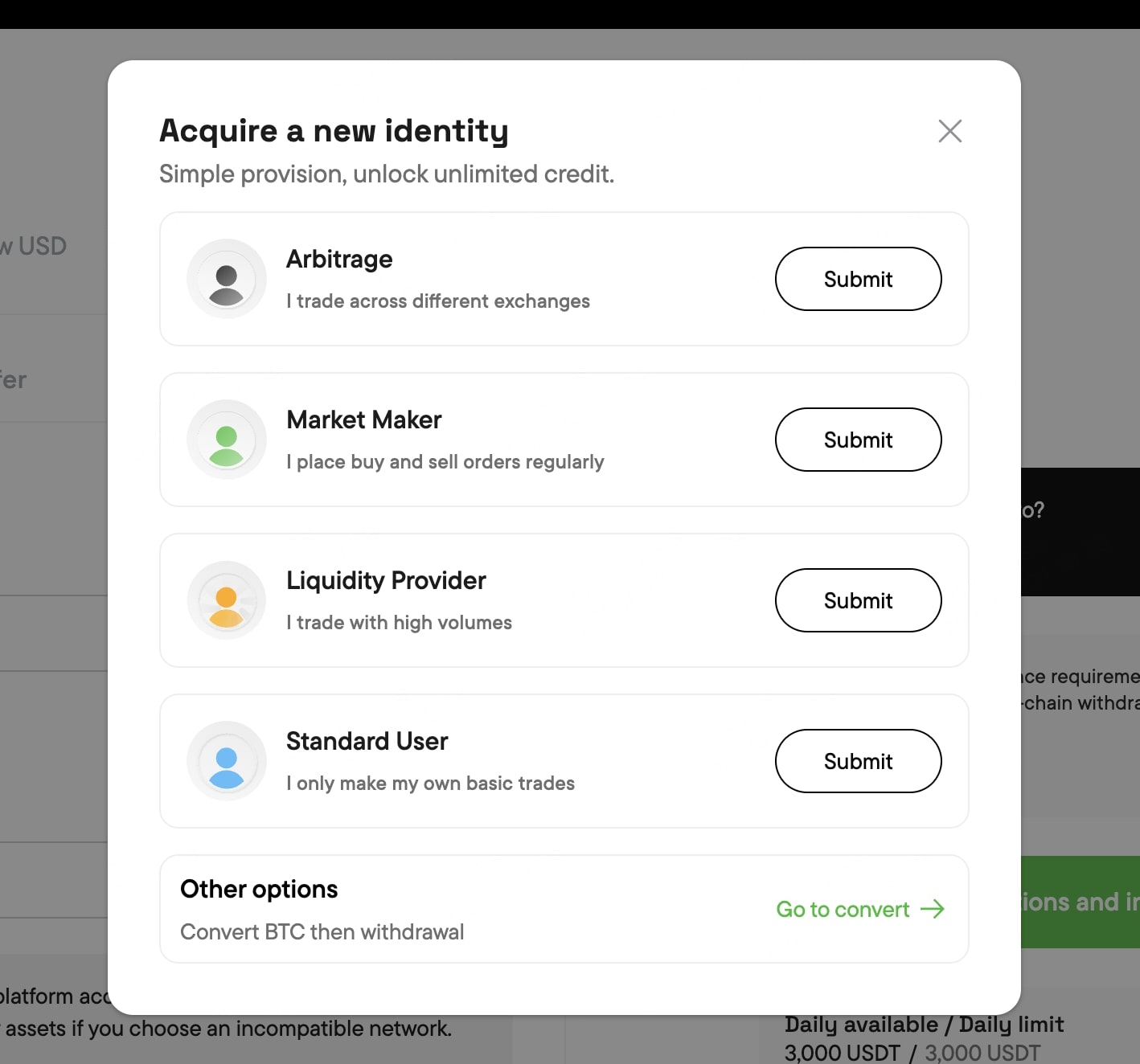
- Select any categories you find suitable and provide the requested information. All submissions will be reviewed by our compliance team in accordance with Travel Rule requirements. You will receive feedback as quickly as possible. Our process is designed to be fast and ensure minimal delays.
Upgrade Your Status on Mobile
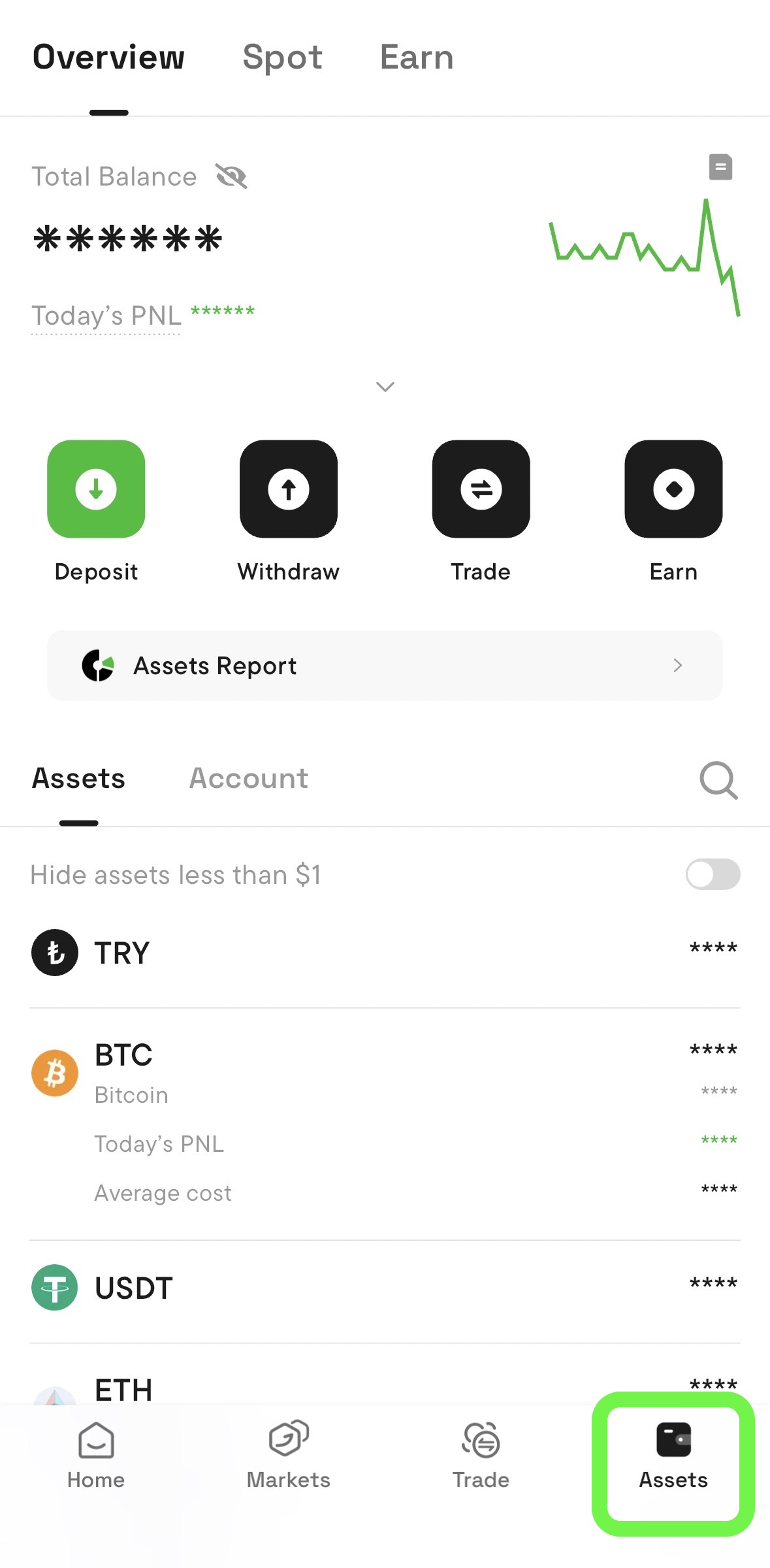
- Log in to your account and go to the “assets” section.
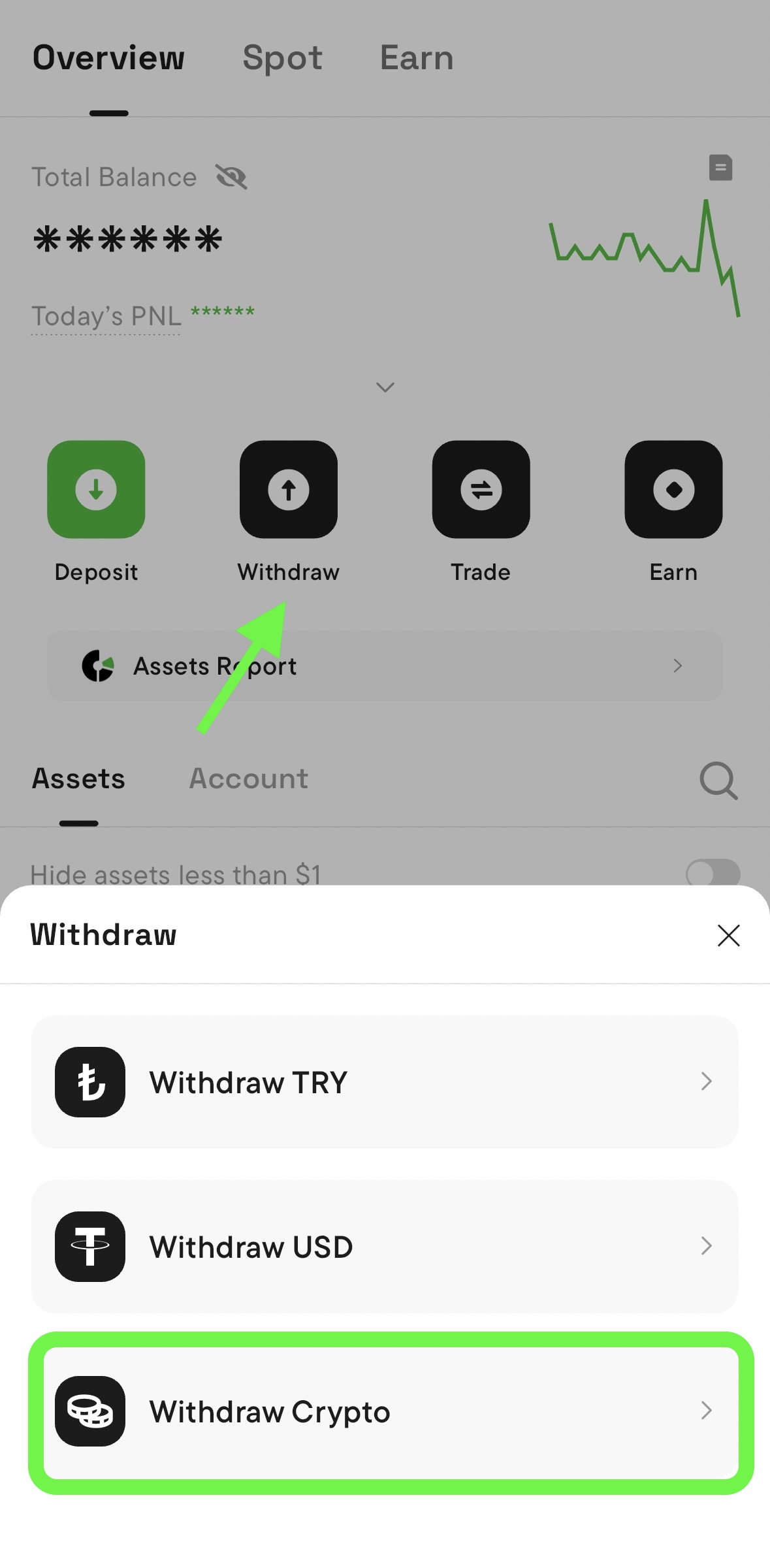
- Select “Crypto withdrawal”.
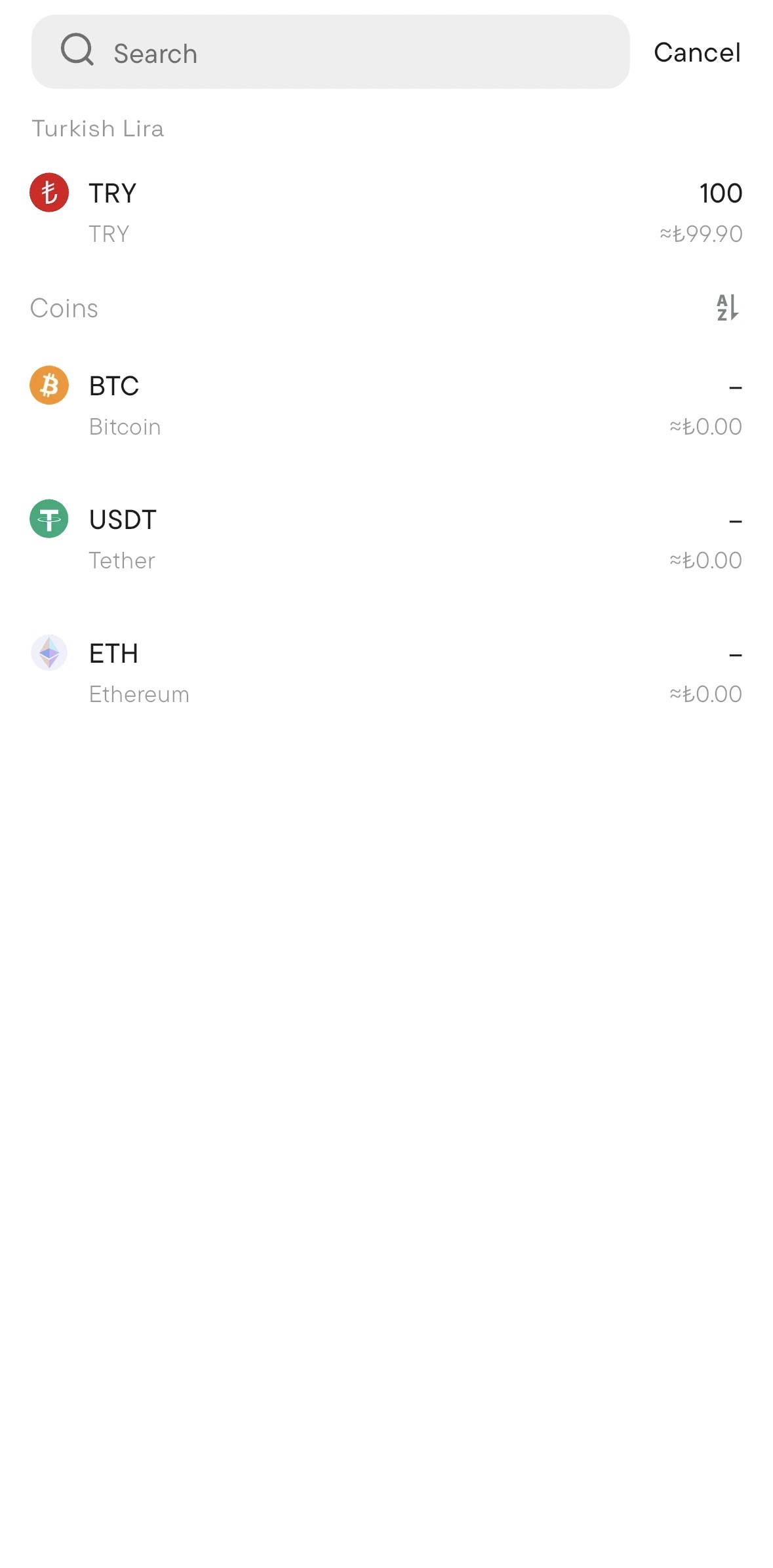
- Select the type of cryptocurrency you wish to withdraw and click on the “on-chain withdrawal” field. Then select the cryptocurrency you wish to trade.
- Click the “Start instant transactions and increase withdrawal limitation” button in the section at the bottom.
- Select any of the categories you think suit you and provide the required information. All submissions will be reviewed by our compliance team, in line with Travel Rule requirements. You will receive feedback as quickly as possible. Our process is designed for efficiency and minimal delay.
User Profiles and Required Documents
-
Arbitrage User
Arbitrage users earn profit by taking advantage of price differences between exchanges.
These users verify their trading activity and funding source through the following documents.
Required documents:
-
Proof of funds:
-
Bank statement showing sufficient balance used for crypto transactions.
-
Screenshot of fiat or crypto wallet balance used for trading.
-
-
Bank statement or transaction history related to arbitrage trades:
-
Example: A PDF or screenshot of bank transfer records between exchanges (e.g., XYZ Exchange → CoinTR).
-
-
Trading history or screenshots from at least two different exchanges:
-
Example: Screenshots showing trade history or balance movement on two exchanges (e.g., order history pages).
-
Tip: Export your exchange trading history as CSV or PDF — most platforms provide this under
Trade History or
Order Records.
-
Market Maker (MM)
Market makers provide liquidity by placing regular buy and sell orders in certain trading pairs.
They help stabilize prices and improve market depth.
Required documents:
-
Proof of funds:
-
Bank statement or crypto wallet screenshot showing available capital for trading.
-
Optional supporting documents (recommended):
-
Proof of consistent market activity:
-
Screenshot of open orders or API trading dashboard.
-
Trade report from your primary exchange showing continuous order placements.
-
Tip: A screenshot from your CoinTR or other exchange’s “Open Orders” or “Trading Volume” tab is sufficient.
-
Liquidity Provider (LP)
Liquidity providers increase market depth by supplying large trade volumes and maintaining order flow.
They are typically institutions or professional users with stable capital.
Required documents:
-
Proof of funds:
-
Bank statement showing available capital or a screenshot of a verified institutional account.
-
-
Bank statements confirming operational fund consistency:
-
Example: Monthly statements showing recurring trading-related inflows/outflows.
-
Optional supporting documents (recommended):
-
Proof of operational sustainability:
-
Screenshot of exchange API usage, OTC desk activity, or internal liquidity records.
-
Tip: For institutions, a company letterhead confirmation or fund-allocation statement can also be attached.
Legal Notice
The information, comments, and evaluations contained in this content do not constitute investment advice. This content is not intended to be prescriptive in any way and is intended to provide general information. It does not constitute investment advice. CoinTR cannot be held responsible for any transactions made based on this information or any losses that may arise.

